For years, AI assistants mostly waited for you to ask a question.
You opened an app, typed a prompt, received an answer, and moved on.
That model is beginning to change.
The newest generation of AI isn’t being designed simply to answer questions. It is being designed to keep working after the conversation ends.
Two of the biggest examples arrived within weeks of each other.
Meta introduced Muse, a personal AI agent designed to work across apps, remember ongoing goals, and perform tasks on a dedicated virtual computer. OpenAI followed with Dots, persistent agents inside ChatGPT that can also operate their own cloud computers and continue working toward goals over time. About Facebook
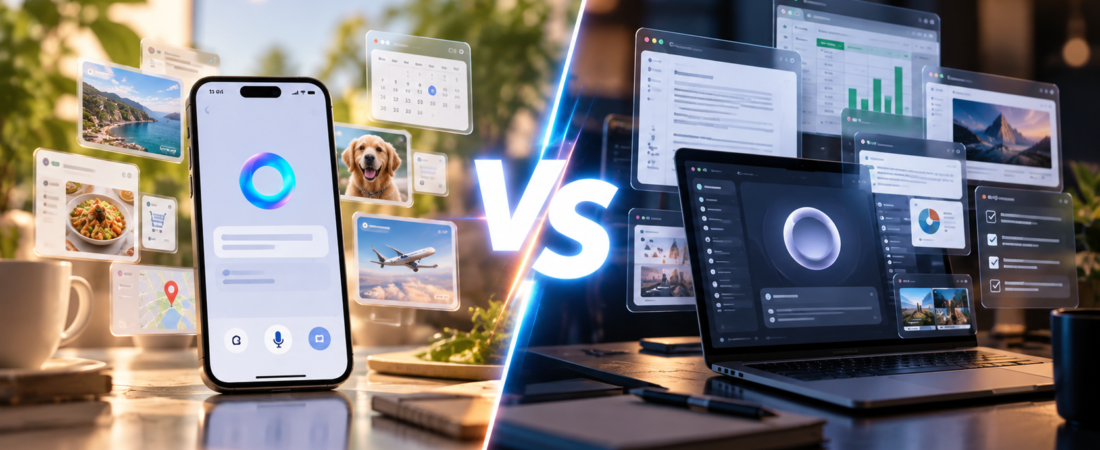
That makes Meta Muse vs OpenAI Dots one of the first major comparisons of the emerging personal AI-agent era.
Both promise something much bigger than a chatbot.
But they approach the idea differently.
So which one looks more useful for actually getting things done?
Meta Muse vs OpenAI Dots at a Glance
| Meta Muse | OpenAI Dots | |
|---|---|---|
| Type | Personal AI agent | Always-on AI agent |
| Launched | September 2026 | September 2026 |
| Own cloud computer | Yes | Yes |
| Continues working independently | Yes | Yes |
| Connects to other apps | Yes | Yes |
| Remembers ongoing context | Yes | Yes |
| Consumer focus | Strong | More limited initially |
| Business/work focus | Growing | Strong |
| ChatGPT integration | No | Yes |
| WhatsApp integration | Yes | Not the core interface |
| Initial availability | Broad U.S. consumer rollout | Selected paid ChatGPT plans |
| Main idea | Personal digital assistant | Persistent AI worker |
At first glance, these products sound almost identical.
Give the AI something to do.
Close the app.
Come back later.
The work continues.
But the differences become clearer once you look at what each company is actually trying to build.
What Is Meta Muse?
Meta describes Muse as a personal AI agent.
The important word is personal.
Muse isn’t simply designed to research something and return an answer.
Meta wants it to understand your ongoing life.
You might tell Muse to plan a trip, organize information, send an email, manage a project, or help coordinate something involving several apps.
Muse can then perform tasks using its own secure virtual computer.
According to Meta, Muse can work across connected services, remember information that matters to you and proactively make suggestions based on previous conversations. About Facebook
For example, Meta says Muse could remember dietary restrictions you’ve previously mentioned, turn a recipe you saved on Instagram into a grocery list, help create a dinner menu and assist with invitations.
That’s significantly different from repeatedly prompting a traditional chatbot.
Muse is supposed to maintain continuity.
What Are OpenAI Dots?
Dots take a similar idea but push heavily toward persistent work.
OpenAI describes Dots as always-on agents.
Each Dot gets its own cloud computer and browser.
Instead of starting a completely new interaction every time you open ChatGPT, you can give a Dot an ongoing responsibility.
OpenAI says a Dot can continue making progress between conversations, work across connected apps and determine what steps need to happen next while bringing important decisions back to the user. OpenAI Help Center
Think of the difference this way.
Traditional ChatGPT:
“Help me create this sales proposal.”
A Dot:
“Manage this sales proposal as the project changes.”
If customer requirements change tomorrow, the Dot can potentially continue working with the updated information instead of requiring you to reconstruct the entire task.
That’s a much more ambitious role.
The Biggest Change: AI Gets Its Own Computer
This may be the most important similarity between Muse and Dots.
Both agents effectively get their own computer in the cloud.
That’s a major shift from traditional AI assistants.
A chatbot mainly generates information.
An agent with a computer can potentially:
- Open websites
- Navigate web pages
- Work with connected applications
- Create files
- Monitor ongoing projects
- Complete multistep tasks
- Return later with results
OpenAI says each Dot has its own cloud computer and browser. Meta similarly says every Muse runs inside a dedicated Muse Secure VM. About Facebook
That infrastructure is what allows these products to behave less like chatbots and more like digital workers.
Muse Feels More Like a Personal Assistant
Meta’s examples reveal where Muse is initially aiming.
It’s deeply connected to everyday life.
Muse is designed to work through familiar communication channels, including its own app and WhatsApp.
Meta’s examples include things like:
travel planning,
email,
shopping,
recipes,
events,
personal projects,
and remembering preferences.
It can also proactively suggest something rather than always waiting for another prompt. About Facebook
That matters.
The traditional AI relationship is:
You remember what needs to happen → you ask AI → AI helps.
The agent model becomes:
AI remembers what needs to happen → AI helps move it forward.
That’s a subtle but potentially enormous change.
Dots Feel More Like AI Workers
OpenAI’s approach currently appears more work-oriented.
Dots can maintain ongoing projects and operate across connected tools.
Reuters reported examples such as an agent updating a sales proposal as customer requirements change and building a working demo for review. Reuters
OpenAI also describes Dots as capable of recurring work and communication across services such as Slack, with broader collaboration capabilities planned. OpenAI Deployment Safety Hub
That makes a Dot easier to imagine as something resembling a digital coworker.
Instead of:
“What’s on my calendar?”
the eventual interaction might look more like:
“Take responsibility for preparing my weekly sales report.”
Then the agent handles that responsibility repeatedly.
Muse Is Already Moving Into Business
The distinction isn’t absolute, however.
Meta is quickly expanding Muse beyond personal tasks.
On September 29, Meta announced additional small-business capabilities and integrations.
Reuters reported integrations including Shopify, QuickBooks, Stripe and Canva, while Meta is positioning Muse to help business owners with operational tasks and finding customers. Reuters
So the emerging battle may not remain:
personal Muse vs professional Dots.
Both companies appear to be moving toward the same much larger destination:
AI that handles ongoing responsibilities.
The Real Difference May Be the Ecosystem
This is where the competition becomes particularly interesting.
Meta already owns enormous consumer platforms.
Facebook.
Instagram.
WhatsApp.
Messenger.
And increasingly, AI-enabled glasses.
Muse can potentially sit inside that ecosystem.
Meta has already said Muse is coming to AI glasses, and the company is continuing to add integrations around its agent. About Facebook
OpenAI has a different advantage.
ChatGPT is already used as a general-purpose AI workspace, while OpenAI also has tools designed around coding and more complex professional workflows.
Dots can build on that ecosystem.
So Meta’s path may be:
AI integrated into your digital life.
OpenAI’s path may be:
AI integrated into your digital work.
Those paths increasingly overlap.
Muse Has a Major Accessibility Advantage Right Now
One of the largest differences today isn’t intelligence.
It’s availability.
Meta launched Muse broadly in the U.S. across iOS, Android and the web, and says most normal use is free, with paid plans available for people who need more. About Facebook
OpenAI’s initial Dots rollout is much narrower.
OpenAI’s current documentation says Dots are rolling out to eligible Pro users as well as Business Premium and certain Enterprise users, with broader access planned later. OpenAI Help Center
That means many consumers are more likely to encounter Muse first.
But availability doesn’t necessarily tell us which platform will ultimately become more capable.
Both products are extremely new.
Privacy Becomes Much More Important With Agents
Giving an AI agent access to your life is very different from asking a chatbot:
“What’s a good hotel in Miami?”
An agent might need access to:
your email,
calendar,
files,
messages,
shopping accounts,
or potentially payment-related workflows.
That’s why both companies are emphasizing permission systems.
Meta says Muse operates inside a dedicated secure virtual machine.
It also uses a separate system called Sentinel that evaluates actions before Muse communicates externally.
Meta says Muse asks permission before sensitive actions such as sending an email or making a purchase, while users can choose which services the agent can access and disconnect them later. About Facebook
OpenAI is also building confirmation and permission controls around Dots.
Its published safety materials describe testing against attempts to manipulate agents through malicious attachments, hidden instructions and other attacks. OpenAI Deployment Safety Hub
This may eventually become one of the most important factors in choosing an AI agent.
The smartest agent isn’t necessarily the most useful one.
It also needs to be an agent you’re comfortable giving access to your digital life.
AI Agents Still Have a Major Problem: The Web May Fight Back
There’s another issue that could determine how useful these systems become.
Agents need websites to cooperate.
That’s not guaranteed.
If an AI agent visits a website, compares products and completes a purchase for you, the website may lose some control over the customer relationship.
Retailers could also lose advertising opportunities, recommendation opportunities and valuable behavioral data.
That creates a new conflict.
Who controls the customer — the website or the AI agent?
This isn’t theoretical anymore.
Recent reporting says Amazon has blocked Meta’s Muse from shopping on its site amid disagreements over automated-agent access. TradingView
That’s an important limitation.
An AI agent may theoretically be capable of performing a task but still be unable to complete it if the service it needs refuses access.
What Happens When an Agent Makes a Mistake?
This is another major difference between chatbots and agents.
If a chatbot gives you a bad restaurant recommendation, you can ignore it.
If an agent:
sends the wrong email,
changes a document,
books the wrong flight,
or purchases the wrong product,
the mistake has consequences.
That’s why autonomous AI creates a new problem:
How much independence should we actually give it?
OpenAI’s launch illustrates that the technology is still early.
Reuters reported that some live Dots demonstrations at OpenAI’s launch encountered technical problems. Reuters
That doesn’t determine how well the finished product works, but it is a useful reminder that “always-on AI worker” is still an emerging product category.
Users will likely need to decide which actions agents can perform independently and which should always require approval.
Meta Muse vs OpenAI Dots for Everyday Tasks
For everyday personal use, Muse currently has a clear design emphasis on convenience.
Imagine saying:
“Help me plan Jacob’s birthday party next month.”
A traditional chatbot could suggest ideas.
A personal agent could potentially maintain the project:
remember the date,
track the guest list,
find options,
coordinate schedules,
create a shopping list,
and remind you about unfinished tasks.
That’s where the agent concept becomes interesting.
You’re no longer asking AI individual questions.
You’re giving it responsibility for an outcome.
Muse is explicitly designed around this type of personal relationship. About Facebook
Meta Muse vs OpenAI Dots for Work
Dots become particularly interesting when the task isn’t something you finish in one sitting.
Imagine telling an agent:
“Keep our weekly competitor report updated.”
The agent could theoretically:
monitor information,
organize changes,
update documents,
notify you about important developments,
and continue the process every week.
OpenAI describes Dots as persistent agents capable of handling recurring work and maintaining ongoing context. OpenAI Deployment Safety Hub
That’s very different from generating a report once.
The value isn’t simply better AI.
It’s continuity of work.
Which AI Agent Can Actually Get More Done?
Right now, Muse and Dots represent two slightly different visions of the same future.
Meta Muse is starting from the idea of an AI that becomes part of your everyday life.
OpenAI Dots is starting from the idea of persistent agents that can take responsibility for ongoing work.
Muse currently has broader consumer accessibility and strong connections to Meta’s enormous communication ecosystem.
Dots has deep integration with ChatGPT and a design that makes persistent professional workflows particularly interesting.
But it’s too early to declare that either approach will ultimately dominate.
Both products were introduced only recently, integrations are still expanding, and the biggest unanswered questions — reliability, privacy, website access and how much autonomy users will actually trust — will only become clearer with real-world use.
The bigger story may therefore not be Meta Muse vs OpenAI Dots.
It’s what they represent.
For years we used AI by asking:
“Can you help me do this?”
The next generation of AI wants us to say:
“Take care of this for me.”
That could be a much bigger change than the chatbot revolution that came before it.
Compare with Reason.