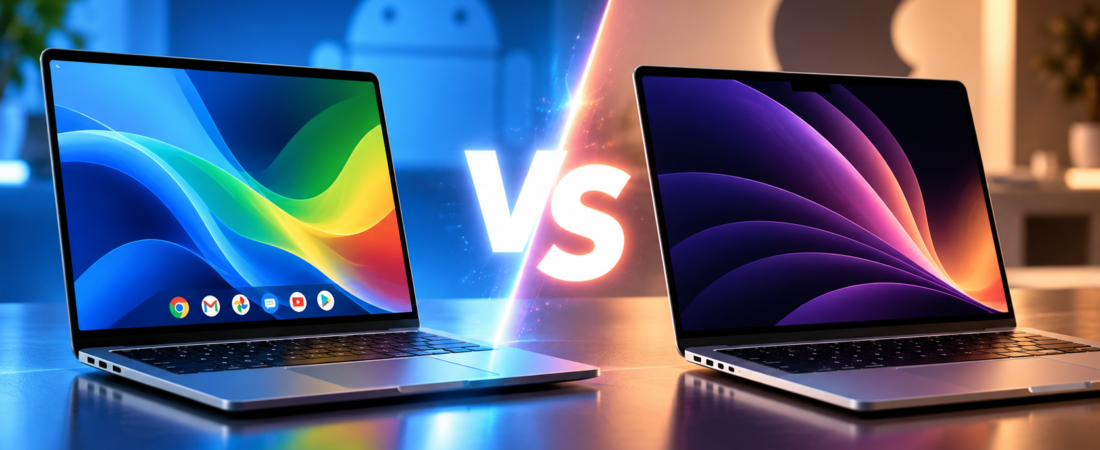
For years, choosing a premium everyday laptop has often meant choosing between a Windows PC and a MacBook.
Google now wants to change that.
The new Googlebook brings Android, Chrome, Gemini AI, and deep Android phone integration into a premium laptop platform starting at $899. That puts it surprisingly close to Apple’s MacBook Air, which starts at $1,099 with the M5 chip.
So if you’re buying a laptop today, which one actually makes more sense?
The answer may have less to do with raw specifications and more to do with the phone already in your pocket.
Googlebook vs MacBook Air at a Glance
| Googlebook | MacBook Air | |
|---|---|---|
| Starting Price | $899 | $1,099 |
| Operating System | Googlebook OS | macOS |
| Processor | Intel Core Ultra / Snapdragon X Elite | Apple M5 |
| Memory | 16GB minimum | 16GB minimum |
| Display | Touchscreen, up to 2.8K OLED | 13.6″ or 15.3″ Liquid Retina |
| AI | Gemini Intelligence | Apple Intelligence |
| Phone Integration | Android | iPhone |
| Battery | Up to 14 hours video / 16 hours web* | Up to 18 hours video* |
| Apps | Android + Web + Linux | macOS + compatible iPhone/iPad apps |
| Models | Acer, ASUS, Dell, HP, Lenovo | Apple |
*Manufacturer-rated figures. Real-world battery life will vary.
The Biggest Difference: Android vs iPhone
This is probably the most important part of the comparison.
Googlebook is designed from the beginning to work closely with Android phones.
Your saved passwords, Wi-Fi networks, messages and settings can move over during setup. You can access files and photos from your phone directly on the laptop, continue certain tasks you started on your phone, and even interact with phone apps from your desktop.
Google calls features such as these Continue On, Files, and Cast My Apps.
In other words, Google is trying to create for Android users something similar to what Apple has spent years building between the iPhone and Mac.
MacBook Air still has the advantage of Apple’s mature ecosystem.
If you already use an iPhone, AirPods, Apple Watch and iCloud, a MacBook Air fits naturally into that setup. AirDrop, iPhone Mirroring, Messages, FaceTime and Continuity make moving between Apple devices remarkably easy.
That makes the first decision surprisingly simple:
Android phone → Googlebook becomes very interesting.
iPhone → MacBook Air still makes more sense for most people.
Googlebook Has One Big Advantage: Choice
A MacBook Air is a MacBook Air.
You can choose between 13-inch and 15-inch versions, different colors, memory and storage configurations — but Apple controls the hardware.
Googlebook takes a completely different approach.
The first generation includes laptops from Acer, ASUS, Dell, HP and Lenovo.
That means buyers can choose different designs and form factors while keeping the same Googlebook platform.
Want a convertible laptop that can become a tablet? Acer has one.
Want something extremely light? ASUS offers a model weighing around 2.2 pounds.
Want a larger productivity machine? Lenovo offers a 15-inch version.
Googlebook therefore offers something Apple doesn’t: hardware variety within the same ecosystem.
MacBook Air Still Has the Proven Hardware Advantage
Googlebook looks promising on paper, but there’s an important distinction.
It’s new.
The MacBook Air is not.
Apple has refined the Air for years, and the current M5 model is already an established laptop with predictable performance, battery life and software compatibility.
The M5 MacBook Air starts with 16GB of unified memory and 512GB of storage, with configurations available up to 32GB of memory and 4TB of storage.
It is also fanless, thin and light.
Googlebook models offer modern Intel Core Ultra or Snapdragon X Elite processors, at least 16GB of RAM and dedicated NPUs delivering more than 45 TOPS of AI performance.
Those specifications look competitive.
But specifications aren’t the same thing as long-term real-world experience.
Because the first Googlebooks don’t reach U.S. stores until October 4, we still need broader independent testing before making definitive conclusions about sustained performance, battery life and software reliability.
For now, MacBook Air is the safer known quantity.
Gemini Could Be Googlebook’s Secret Weapon
This is where Googlebook gets much more interesting.
Google didn’t simply add Gemini to a laptop.
It designed much of the operating experience around it.
One example is Magic Pointer.
Move the cursor over something on your screen and Gemini can provide contextual assistance without requiring you to copy information into another app.
There’s also Rambler, which can turn spoken thoughts into structured notes, action items and formatted writing.
Another feature, Create My Widget, lets you describe a widget you want and have Gemini create it for your desktop.
This represents a different philosophy from traditional laptop AI.
Instead of AI being another application you open, Google wants it to become part of how you interact with the computer.
Whether that turns out to be genuinely useful or simply another layer of AI features will depend on real-world use.
But it’s arguably Googlebook’s most distinctive feature.
Apps Could Decide Everything
Googlebook combines several worlds.
You get a full desktop Chrome browser with extensions, access to Android apps through Google Play, and a Linux environment for developers.
Google says optimized applications include tools such as Photoshop, Lightroom and CapCut.
That gives Googlebook far more flexibility than traditional Chromebooks.
But macOS still has a major advantage for people who depend on established desktop software.
Professional creative workflows, specialized business applications and Apple’s own software ecosystem have had years to mature on the Mac.
For someone who mainly uses Chrome, Gmail, Google Docs, streaming services and common productivity apps, Googlebook may offer more than enough.
For someone whose livelihood depends on specific desktop software, checking compatibility before switching is essential.
Price: Googlebook Starts $200 Lower
This is where Google gets aggressive.
Googlebook starts at $899.
The 13-inch M5 MacBook Air starts at $1,099, while the 15-inch model starts at $1,299.
That’s a $200 difference at the entry level.
Google also includes 12 months of Google AI Pro with 5TB of cloud storage and Gemini Advanced tools with each Googlebook.
However, not every Googlebook costs $899. The initial lineup extends into roughly the same price territory as a MacBook Air.
So this isn’t simply a case of “Googlebook is cheaper.”
It’s more accurate to say Googlebook gives buyers a lower starting point and more hardware choices.
Which One Should You Buy?
Choose Googlebook if:
- You primarily use an Android phone
- You rely heavily on Google services
- You want Gemini integrated deeply into your laptop
- You want a touchscreen or convertible design
- You use a lot of Android apps
- You want more hardware choices
- The $899 starting price matters
Choose MacBook Air if:
- You use an iPhone
- You already own other Apple devices
- You want a mature and proven laptop platform
- You depend on established macOS software
- Battery life is a major priority
- You prefer Apple’s tightly controlled hardware and software experience
The More Interesting Question
Googlebook doesn’t necessarily need to beat the MacBook Air.
It needs to become the MacBook Air for Android users.
That’s a much more realistic goal.
For years, Android users have had excellent phones but no obvious laptop counterpart offering the same level of ecosystem integration that iPhone users get with a Mac.
Googlebook is Google’s most serious attempt yet to fill that gap.
At $899, it’s also inexpensive enough to make that decision interesting.
If you own an iPhone, the MacBook Air remains the natural choice.
But if your phone is a Pixel, Galaxy or another Android device, Googlebook may finally give you a reason to think twice before buying a Mac.
And that may be the comparison that matters most.
Compare with Reason.