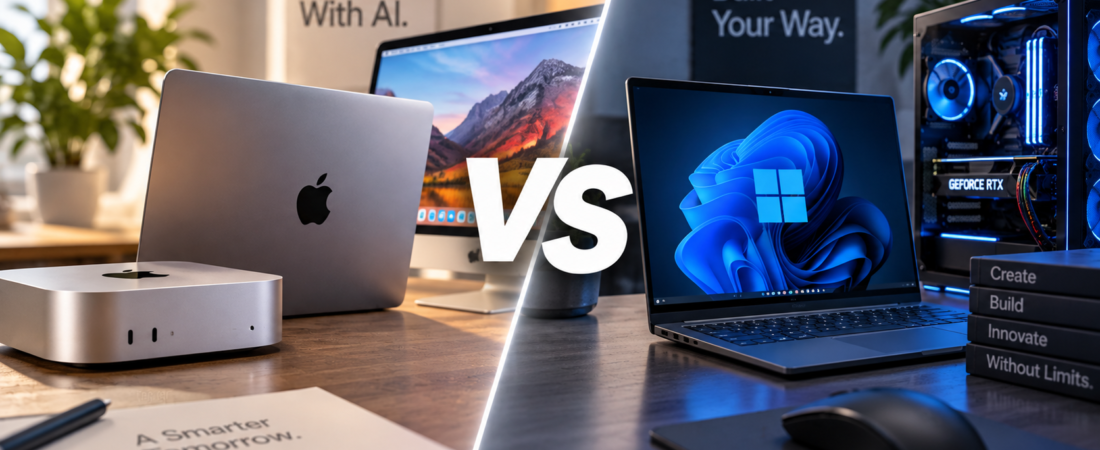
For years, choosing between a Mac and a Windows PC mostly came down to familiar questions.
Which operating system do you prefer?
What software do you use?
Do you want better gaming compatibility, or do you prefer Apple’s ecosystem?
In 2026, there is another question:
Which computer is better for AI?
And increasingly, that doesn’t just mean opening ChatGPT in a browser.
AI is beginning to run directly on your computer.
Local AI can summarize documents, generate images, transcribe audio, analyze files, assist with coding, and even run large language models without sending every task to a cloud server.
Apple is pushing its newest Macs further into this market. On September 22, Reuters reported that Apple is positioning its latest Mac mini and Mac Studio systems as machines capable of running increasingly sophisticated AI workloads locally — potentially reducing reliance on usage-based cloud AI services.
Windows is moving in the same direction through Copilot+ PCs equipped with dedicated Neural Processing Units, or NPUs. Microsoft currently requires a Copilot+ PC to have an NPU capable of at least 40 TOPS for many of its on-device AI features.
So if you’re buying a computer today with AI in mind, which platform makes more sense?
Let’s compare.
Quick Comparison
| Mac | Windows PC | |
|---|---|---|
| Local AI | Excellent | Excellent |
| Hardware Choices | Limited | Huge variety |
| Unified Memory | Major advantage | Depends on hardware |
| Dedicated NPU | Apple Neural Engine | Common on Copilot+ PCs |
| NVIDIA GPU Options | No | Yes |
| Gaming | Improving | Better |
| AI Hardware Customization | Limited | Excellent |
| Power Efficiency | Excellent | Varies |
| Apple Ecosystem | Excellent | Limited |
| Price Flexibility | Limited | Excellent |
The surprising answer is that both platforms are becoming very capable AI computers — but for different reasons.
1. What Does “Local AI” Actually Mean?
Most people currently use AI through the cloud.
When you type a question into an AI service, your request is generally processed on powerful remote servers.
Local AI changes that model.
Instead of sending everything to a remote data center, some AI processing happens directly on your computer.
That can offer several advantages:
Faster response for certain tasks
Less dependence on an internet connection
Potentially better privacy
No per-token cloud charge for models you run yourself
Greater control over your data
Microsoft describes its Copilot+ architecture similarly: AI components can use dedicated hardware to process workloads directly on the device, reducing reliance on cloud connectivity while keeping certain data local.
This is one reason computer manufacturers are suddenly talking so much about AI performance.
2. Mac’s Biggest AI Advantage: Unified Memory
Apple Silicon has an unusual architecture.
Instead of separating CPU memory and GPU memory in the traditional way, Apple uses unified memory that can be accessed efficiently by different parts of the chip.
That becomes particularly interesting for local AI.
Large AI models require large amounts of memory.
A Mac configured with substantial unified memory can therefore run models that might require a Windows workstation with an expensive GPU containing large amounts of dedicated VRAM.
This doesn’t automatically make the Mac faster at every AI task.
But it gives Apple an interesting advantage for certain large-model workloads.
Apple demonstrated this strategy dramatically with its latest machines, showing a trillion-parameter AI model running across four Mac Studios while emphasizing the systems’ power efficiency.
For people experimenting with local language models, memory may become just as important as raw processor speed.
Advantage: Mac
3. Windows’ Biggest AI Advantage: Hardware Choice
Windows approaches AI from the opposite direction.
Instead of one company controlling most of the hardware stack, you can choose among systems using:
Intel
AMD
Qualcomm
NVIDIA
and numerous PC manufacturers.
That gives Windows an enormous range of configurations.
You can buy a thin AI laptop.
You can buy a compact mini PC.
You can build a desktop with a powerful NVIDIA GPU.
You can upgrade components later.
Or you can build an extremely powerful AI workstation.
Microsoft’s Copilot+ PC platform currently requires an NPU capable of at least 40 trillion operations per second for many of its AI features.
But Windows AI isn’t limited to the NPU.
A high-end NVIDIA GPU can provide enormous computational power for machine learning, image generation, video AI, and local language models.
Advantage: Windows
4. NPU vs. GPU: What’s the Difference?
This is where AI computer marketing becomes confusing.
You’ll see terms like:
CPU
GPU
NPU
TOPS
Neural Engine
AI Engine
They aren’t interchangeable.
The CPU handles general computing.
The GPU performs highly parallel calculations and has become extremely important for AI.
The NPU is a specialized processor designed to handle certain AI workloads efficiently, often while consuming less power.
Apple integrates Neural Engine hardware into its chips.
Modern Windows AI PCs increasingly include NPUs from Qualcomm, Intel, or AMD.
Microsoft’s 40+ TOPS requirement is specifically about the NPU, not the total performance of the computer.
That means a computer can have an extremely powerful GPU and still not technically qualify for certain Copilot+ features if it doesn’t meet Microsoft’s NPU requirements.
5. Mac vs. Windows for ChatGPT and Cloud AI
Here’s something computer manufacturers don’t always emphasize:
If your AI usage is mostly:
ChatGPT
Claude
Gemini
Microsoft Copilot
or other cloud-based AI tools,
your computer’s AI hardware may barely matter.
Most of the heavy processing is happening elsewhere.
A $700 laptop can access the same powerful cloud AI model as a $4,000 workstation.
That means you shouldn’t buy an expensive AI computer simply because you use ChatGPT every day.
If your workflow remains cloud-based, RAM, battery life, display quality, keyboard comfort, storage, and overall performance may matter more.
Winner: Tie
6. Mac vs. Windows for Running AI Locally
This comparison becomes much more interesting when the model actually runs on your computer.
Popular local AI software can allow users to download and run language models directly on their hardware.
The amount of memory available can dramatically affect what size model you can run.
That’s where Apple’s unified-memory architecture becomes appealing.
A Mac with substantial unified memory can allocate a large amount of that memory to AI workloads.
But Windows offers another path:
Dedicated GPUs.
A powerful NVIDIA graphics card can deliver exceptional AI performance.
So the question becomes:
Do you want an integrated, efficient machine with lots of unified memory?
Or do you want maximum hardware flexibility and discrete GPU performance?
For simplicity and efficiency:
Mac has an advantage.
For customization and maximum performance potential:
Windows has an advantage.
7. Mac vs. Windows for AI Image Generation
If your main AI workload is image generation, Windows can become particularly attractive.
Many AI image-generation tools have historically been optimized heavily around NVIDIA’s CUDA ecosystem.
That gives Windows PCs equipped with NVIDIA GPUs an enormous software and performance ecosystem.
Macs can absolutely generate AI images locally.
Apple Silicon has become increasingly capable.
But someone building a machine specifically for heavy AI image generation may find more hardware and software options on Windows.
Winner: Windows
8. Mac vs. Windows for AI Coding
This one is closer.
Developers have long used both platforms.
Mac has strong Unix-based development tools and excellent integration with Apple’s hardware ecosystem.
Windows has improved significantly for developers through tools such as Windows Subsystem for Linux.
AI coding itself is also increasingly platform-independent because many coding assistants operate through cloud services or common development environments.
For developers running local models, the decision again comes down largely to hardware configuration.
Winner: Tie
9. Mac vs. Windows for AI Privacy
Local AI has a major privacy advantage in theory:
Your information may not need to leave your computer.
Imagine asking AI to analyze:
Financial documents
Business files
Private notes
Personal photographs
Internal company information
Running the model locally can reduce the need to upload that information to an external server.
Both Mac and Windows can do this.
Microsoft explicitly promotes on-device AI as a way to keep certain sensitive processing local.
Apple has also made privacy a major part of its AI architecture.
But privacy depends on the specific application.
Just because your computer contains an NPU doesn’t mean every AI app runs locally.
Some features may still send information to cloud servers.
Always check how the particular application handles your data.
Winner: Tie
10. Mac vs. Windows for AI Laptops
Laptop buyers face a slightly different decision.
Windows now offers an enormous selection of Copilot+ PCs.
Microsoft’s baseline specifications include at least:
40+ TOPS NPU
16GB RAM
256GB storage
with compatible Windows versions and hardware.
Apple takes a more integrated approach.
Because Apple designs both the hardware and operating system, MacBooks tend to offer excellent performance per watt and battery efficiency.
If portability and battery life matter more than hardware customization, a MacBook can be extremely attractive.
But Windows buyers have far more choices in size, price, touchscreen support, gaming performance, ports, and form factor.
Mac: simplicity and efficiency
Windows: choice and flexibility
11. What About the New Mac Mini?
The Mac mini may be one of the most interesting AI computers in Apple’s lineup.
Apple’s latest M6 Mac mini emphasizes improved AI performance and always-on agentic computing, and Apple says the new model can deliver substantially faster AI performance than previous generations.
It also illustrates Apple’s AI strategy well.
Instead of building a giant desktop tower with a massive discrete GPU, Apple is trying to provide substantial AI capability inside a remarkably small and power-efficient machine.
For someone who wants to experiment with local AI without building a PC, that can be compelling.
But Windows mini PCs are evolving quickly too, with newer systems offering increasingly powerful NPUs and more hardware choices.
12. Windows Still Has the Upgrade Advantage
This is one area where traditional desktop PCs remain difficult to beat.
Build a Windows desktop today and you may be able to upgrade:
RAM
Storage
GPU
Cooling
Networking
and other components later.
Buy a modern Mac and most major hardware decisions are permanent.
You generally need to decide how much memory and storage you want when you purchase the computer.
That matters for AI because local models are becoming larger.
The computer that comfortably handles your AI workload today may feel constrained several years from now.
With a desktop PC, you may be able to install a new GPU.
With a Mac, you may need a new machine.
Winner: Windows
13. Don’t Buy an “AI PC” Just Because It Says AI
This may be the most important part of the comparison.
AI has become one of technology’s biggest marketing terms.
That means nearly every new computer will eventually be marketed as an AI computer.
But ask yourself:
What AI will I actually run locally?
If your answer is:
“I use ChatGPT in Chrome,”
you probably don’t need an expensive AI workstation.
If your answer is:
“I want to run local LLMs, generate images locally, analyze confidential files, build AI applications, or operate AI agents directly on my computer,”
then hardware suddenly matters much more.
Buy for the workload.
Not the sticker.
14. Which Should You Buy?
Choose a Mac if:
You value power efficiency.
You already use Apple’s ecosystem.
You want substantial unified memory.
You want a simple local-AI setup.
You do creative work alongside AI.
You prefer macOS.
Choose Windows if:
You want maximum hardware choice.
You want NVIDIA GPU options.
You plan to upgrade your computer.
You want serious gaming performance too.
You need specialized Windows software.
You want choices at almost every price point.
Our Pick: Windows for Maximum AI Flexibility — Mac for the Simpler Local-AI Machine
There isn’t a universal winner here.
Windows has the broader AI hardware ecosystem.
You can choose different CPUs, NPUs, GPUs, memory configurations, laptops, mini PCs, and desktop workstations.
For enthusiasts, developers, gamers, and people who want maximum AI performance or future upgrades, that flexibility is extremely valuable.
But Mac has a different advantage.
Apple’s unified-memory architecture, power efficiency, compact hardware, and tightly integrated software make modern Macs increasingly interesting as straightforward local-AI machines.
And Apple’s latest push suggests that local AI is no longer just a side feature of the Mac — it is becoming part of the platform’s core strategy.
For most ordinary buyers, however, there is an even simpler conclusion:
Don’t pay extra for AI hardware until you know what you want to run locally.
Cloud AI works on almost any modern computer.
Local AI is where the hardware battle really begins.
Compare with Reason.