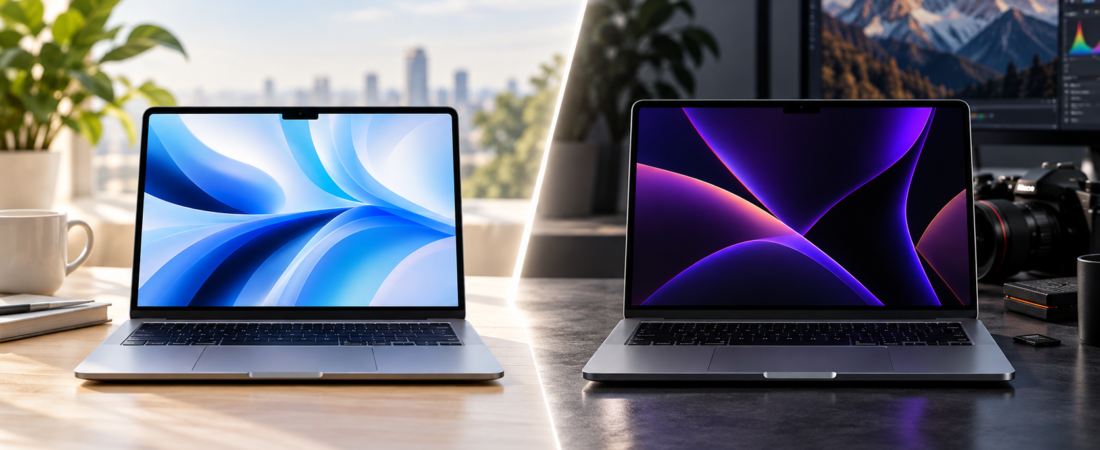
Choosing between a MacBook Air and a MacBook Pro sounds simple.
One is lighter and more affordable. The other offers more professional features and higher performance options.
But the real question is whether those additional capabilities are worth paying for.
Both laptops run macOS, use Apple’s silicon processors, and support the same broad ecosystem of applications.
For everyday activities like browsing the web, managing spreadsheets, writing documents, and attending video meetings, the MacBook Air can feel just as responsive as a more expensive MacBook Pro.
The difference becomes more noticeable when you work with demanding applications, large creative projects, or sustained processing tasks.
So when does spending more actually make financial sense?
In this MacBook Air vs MacBook Pro comparison, we’ll examine performance, display quality, portability, battery life, and professional capabilities. We’ll also calculate how much productive time the MacBook Pro needs to save to justify its higher purchase price over four years.
Quick Verdict: The MacBook Air is the better value for most buyers. The MacBook Pro becomes worth the extra money when its professional features or additional performance solve a specific problem.
Comparison Outline
- MacBook Air vs MacBook Pro: Quick comparison
- Purchase price and value
- Everyday performance vs sustained performance
- Display quality
- Portability and design
- Battery life
- Photo editing and graphic design
- Video editing and professional workloads
- Ports, memory, and storage
- Four-year ownership cost
- Productivity break-even analysis
- Who should buy each MacBook?
- Frequently asked questions
- The Compareason Verdict
1. MacBook Air vs MacBook Pro: Quick Comparison
For this comparison, we’ll focus on three laptop categories: the MacBook Air with a standard Apple silicon chip, the 14-inch MacBook Pro with a standard chip, and the higher-performance MacBook Pro with a Pro-class processor.
| Feature | MacBook Air | Standard MacBook Pro | Pro-Chip MacBook Pro |
|---|---|---|---|
| Primary advantage | Portability and value | Premium features | Professional performance |
| Cooling | Fanless | Active cooling | Active cooling |
| Display | Liquid Retina | Liquid Retina XDR | Liquid Retina XDR |
| Refresh rate | Standard | Up to 120Hz ProMotion | Up to 120Hz ProMotion |
| Ports | Fewer built-in connections | HDMI and SD card slot | More professional connectivity |
| Best for | Students and everyday users | Creative users | Demanding professionals |
| Price | Lowest | Higher | Highest |
The most important difference isn’t simply Air versus Pro.
It’s how much performance you actually need.
A standard-chip MacBook Pro and a Pro-chip MacBook Pro may offer very different processing capabilities.
That distinction matters when deciding whether the higher price is justified.
2. Price: What Are You Actually Paying For?
Let’s use an illustrative U.S. pricing scenario.
- MacBook Air: $1,099
- Standard-chip MacBook Pro: $1,699
- Pro-chip MacBook Pro: $2,199
These are comparison assumptions rather than live retail quotes. Actual pricing depends on the model generation, memory, storage, and available promotions.
The standard MacBook Pro costs $600 more than the Air.
The Pro-chip configuration costs $1,100 more.
What Does the Extra Money Buy?
The MacBook Pro may provide:
- A more advanced display
- Active cooling
- Additional ports
- More starting storage
- Higher memory capacity options
- More powerful processors
- Better sustained performance
But not every buyer benefits equally from these features.
A college student writing essays may notice little difference in everyday performance.
A professional video editor working with large projects may experience meaningful productivity improvements.
Compare Equivalent Configurations
One important detail is that entry-level MacBook configurations do not always include the same storage or memory.
Part of the price difference may reflect those specifications rather than processing power alone.
Before buying, compare similarly configured models.
Our Take: The MacBook Air wins on affordability. The MacBook Pro becomes worthwhile when its additional capabilities provide measurable benefits.
3. Performance: Short Tasks vs Sustained Workloads
Modern Apple silicon has made the MacBook Air extremely capable.
For many everyday tasks, it provides more than enough performance.
MacBook Air Performance
The MacBook Air can handle:
- Web browsing with multiple tabs
- Microsoft Office and Google Workspace
- Video meetings
- Photo editing
- Graphic design
- Web development
- Moderate programming
- Occasional 4K video editing
For most people, these tasks represent the majority of their computing needs.
MacBook Pro Performance
The MacBook Pro offers an important advantage: active cooling.
The MacBook Air uses a fanless design, which allows it to operate silently.
However, during long, demanding workloads, the processor may reduce performance to manage heat.
The MacBook Pro uses cooling fans to help maintain performance during sustained tasks.
This becomes particularly important for:
- Long video exports
- Complex rendering
- Large software builds
- Intensive simulations
- Extended graphics processing
Pro-Class Processors
Higher-end MacBook Pro configurations offer more CPU and GPU resources, greater memory bandwidth, and additional memory options.
These capabilities matter for professional applications.
However, they do not automatically make simple tasks noticeably faster.
Our Take: The MacBook Air is powerful enough for most buyers. The MacBook Pro is more appropriate for frequent, sustained professional workloads.
4. Display Quality: The MacBook Pro’s Clear Advantage
The display is one of the most noticeable differences between the two laptop families.
MacBook Air Display
The MacBook Air features a Liquid Retina display with sharp text, strong color reproduction, and excellent everyday usability.
It’s well suited for:
- Office productivity
- Studying
- Streaming video
- General photography
- Graphic design
- Web browsing
For most users, the display is more than adequate.
MacBook Pro Display
The MacBook Pro offers a Liquid Retina XDR display.
Its mini-LED technology provides stronger HDR performance, deeper contrast, and higher peak brightness.
ProMotion also supports adaptive refresh rates up to 120Hz.
These features are particularly useful for professional image and video work.
Does Everyone Need the Better Display?
Not necessarily.
If you primarily work with documents, spreadsheets, and web applications, the Air’s display is already excellent.
If you regularly edit HDR content or value smoother motion and higher contrast, the Pro’s display becomes more compelling.
Our Take: MacBook Pro wins on display quality. MacBook Air remains the stronger value for everyday productivity.
5. Portability: Why the MacBook Air Still Matters
Portability is one of the MacBook Air’s biggest advantages.
Its thin, lightweight design makes it convenient for people who frequently carry their laptops.
MacBook Air Advantages
The Air is particularly appealing to:
- Students
- Frequent travelers
- Remote workers
- Business professionals
- People working in shared spaces
Its fanless design also means silent operation.
MacBook Pro Advantages
The MacBook Pro is thicker and heavier because it includes additional cooling, ports, and other hardware.
For users who primarily work at a desk, that trade-off may be relatively unimportant.
Which Is Better for Travel?
If you regularly carry your laptop through airports, classrooms, or meetings, the MacBook Air is generally the more convenient choice.
Our Take: MacBook Air wins for portability and silent operation.
6. Battery Life: Both Are Excellent
Both MacBook families offer strong battery life.
However, published maximum battery-life figures are measured under specific conditions.
Actual endurance depends on:
- Screen brightness
- Applications
- Wireless activity
- Connected accessories
- Processor workload
- Battery condition
Everyday Productivity
For browsing, email, documents, and video playback, both laptops can provide substantial unplugged use.
Professional Workloads
Video rendering, 3D applications, and intensive software development consume considerably more power.
A higher advertised battery-life figure does not guarantee better endurance during every demanding task.
Our Take: Both laptops offer excellent battery performance. Choose based on your actual workload rather than maximum advertised hours alone.
7. Photo Editing and Graphic Design
Many creative professionals assume they need a MacBook Pro.
But the MacBook Air can handle a substantial amount of creative work.
MacBook Air for Creative Work
The Air is capable of running applications such as:
- Adobe Photoshop
- Adobe Lightroom
- Adobe Illustrator
- Affinity Photo
- Figma
- Canva
For moderate workloads, it can provide a smooth and productive experience.
Designers creating logos, websites, social media graphics, and marketing materials may find the Air entirely sufficient.
When MacBook Pro Makes Sense
The Pro becomes more attractive when projects involve:
- Very large layered files
- Complex effects
- Extensive batch processing
- Demanding multitasking
- HDR image and video review
- Large professional workflows
The Importance of Memory
Sometimes, upgrading memory is more useful than purchasing a faster processor.
A MacBook Air with sufficient memory may handle a particular workflow better than a MacBook Pro with insufficient memory.
Our Take: MacBook Air is the better value for most graphic designers. MacBook Pro is more appropriate for demanding creative production.
8. Video Editing: Where the MacBook Pro Can Justify Its Price
Video editing is one of the clearest examples of a workload that benefits from higher-performance hardware.
Both laptops support modern video processing.
However, project complexity matters.
MacBook Air for Video Editing
The MacBook Air can be suitable for:
- YouTube videos
- Social media content
- Short 4K projects
- Family videos
- Basic color correction
- Occasional exports
For creators producing relatively simple content, the Air can offer excellent value.
MacBook Pro for Video Editing
The MacBook Pro becomes more attractive for:
- Frequent long-form video production
- Multicam editing
- Advanced color grading
- Complex visual effects
- High-resolution footage
- Large professional timelines
- Demanding rendering workloads
Its active cooling and higher-performance processor options can improve sustained productivity.
Why Export Time Matters
Suppose a professional exports 10 projects per week.
If a more powerful MacBook Pro saves five minutes per export:
10 × 5 = 50 minutes per week.
Over 48 working weeks:
50 × 48 = 2,400 minutes.
That’s 40 hours annually.
If those hours can be converted into additional paid work, the productivity benefit could justify the higher purchase price.
However, this is a hypothetical scenario, not a measured benchmark. Actual savings depend on the software, project complexity, and hardware configuration.
Our Take: MacBook Pro is worth considering when its additional performance consistently saves meaningful production time.
9. Ports, Memory, and Storage: Small Differences That Matter
One of the most overlooked differences between the MacBook Air and MacBook Pro is connectivity.
For everyday users, a few USB-C ports may be enough.
But for professionals who regularly connect external monitors, cameras, storage drives, and other accessories, the MacBook Pro’s additional ports can make a meaningful difference.
MacBook Air Connectivity
The MacBook Air offers a relatively simple selection of connections, including Thunderbolt ports, MagSafe charging, and a headphone jack.
Depending on the model, it can also support multiple external displays.
For students, office workers, and people who primarily use wireless accessories, this is generally sufficient.
However, users who regularly connect several devices may need a USB-C hub or docking station.
MacBook Pro Connectivity
The MacBook Pro offers more built-in connectivity, including:
- Thunderbolt ports
- HDMI output
- SDXC card slot
- MagSafe charging
- Headphone jack
Higher-end configurations may also offer faster Thunderbolt connectivity and support for more demanding external display setups.
For photographers and videographers who frequently transfer files from memory cards, the SD card slot alone can be a useful convenience.
Memory and Storage Matter More Than Many Buyers Realize
A faster processor doesn’t automatically solve every performance problem.
If your applications regularly use large amounts of memory, insufficient RAM can slow down your workflow.
Similarly, a laptop with limited internal storage may require external drives sooner than expected.
Before choosing a MacBook Pro, compare the cost of upgrading the MacBook Air’s memory and storage.
A well-configured MacBook Air may provide better value than an entry-level MacBook Pro for certain workloads.
Our Take: The MacBook Pro wins for professional connectivity, but the MacBook Air offers enough flexibility for most everyday users.
10. Four-Year Ownership Cost: How Much More Does Pro Really Cost?
Let’s compare the financial impact of owning each laptop for four years.
We’ll use the same hypothetical purchase prices introduced earlier:
- MacBook Air: $1,099
- Standard-chip MacBook Pro: $1,699
- Pro-chip MacBook Pro: $2,199
Assume each laptop remains functional for four years without major repairs.
We’ll exclude taxes, financing, accessories, AppleCare, and resale value.
Four-Year Cost Comparison
| Model | Purchase Price | Annual Cost | Monthly Cost |
|---|---|---|---|
| MacBook Air | $1,099 | $274.75 | $22.90 |
| Standard MacBook Pro | $1,699 | $424.75 | $35.40 |
| Pro-Chip MacBook Pro | $2,199 | $549.75 | $45.81 |
The standard MacBook Pro costs approximately $12.50 more per month over four years.
The Pro-chip MacBook Pro costs approximately $22.92 more per month than the Air.
Those differences may seem relatively small.
But the additional money only makes sense if the buyer benefits from the Pro’s features.
What About Resale Value?
MacBooks can retain meaningful resale value, but the amount depends on:
- Model generation
- Processor configuration
- Memory and storage
- Battery condition
- Physical condition
- Used-device market demand
A more expensive MacBook Pro may have a higher resale price, but that doesn’t guarantee a lower depreciation rate.
For a complete ownership-cost calculation, buyers should compare estimated resale values for the exact configurations they are considering.
The Compareason Insight: A higher purchase price becomes easier to justify over several years, but only when the additional capabilities improve your actual experience or productivity.
11. The Decision Point: When Does the MacBook Pro Pay for Itself?
This is where the comparison becomes particularly interesting.
Instead of asking whether the MacBook Pro is faster, ask a more practical question:
How much productive time must the MacBook Pro save to justify its higher price?
Suppose you’re a freelancer, designer, developer, or video editor.
Your time has financial value.
If a faster computer allows you to complete more paid work, the additional purchase price may become a worthwhile investment.
Scenario A: Standard MacBook Pro vs MacBook Air
The price difference is $600.
Assume your productive time is worth $40 per hour.
$600 ÷ $40 = 15 hours.
The MacBook Pro needs to save approximately 15 hours of productive time over four years to recover the additional cost.
That’s only 3.75 hours per year.
Or approximately 4.7 minutes per working week, assuming 48 working weeks annually.
However, this calculation only applies if those minutes translate into genuine economic value.
Time saved while waiting for an occasional export does not automatically generate additional income.
Scenario B: Pro-Chip MacBook Pro vs MacBook Air
The price difference increases to $1,100.
At $40 per productive hour:
$1,100 ÷ $40 = 27.5 hours.
Over four years, that’s approximately 6.9 hours annually.
Or about 8.6 minutes per working week.
For someone regularly working with demanding applications, that threshold may be achievable.
For someone primarily browsing websites and editing documents, it probably isn’t.
Productivity Break-Even Comparison
| Value of Productive Time | $600 Price Premium | $1,100 Price Premium |
|---|---|---|
| $25/hour | 24 hours | 44 hours |
| $40/hour | 15 hours | 27.5 hours |
| $60/hour | 10 hours | 18.3 hours |
| $100/hour | 6 hours | 11 hours |
These calculations represent hypothetical financial break-even points, not measured performance differences.
The MacBook Pro does not automatically save this amount of time.
Actual productivity gains depend on whether your work can take advantage of its additional hardware.
The Hidden Factor: Workflow Interruptions
Performance isn’t only about export times.
A more powerful computer may reduce interruptions caused by:
- Slow previews
- Large file processing
- Memory limitations
- Complex multitasking
- Background rendering
- Demanding development environments
For professionals, a smoother workflow can improve concentration and reduce frustration.
But for users who rarely encounter these limitations, buying additional performance provides little practical benefit.
Our Take: The MacBook Pro can pay for itself through productivity, but only when the buyer regularly performs tasks that benefit from its additional capabilities.
12. Who Should Buy Each MacBook?
The best MacBook depends on what you actually do with your computer.
Choose the MacBook Air If You:
- Are a student, office worker, or frequent traveler
- Mainly use browsers, spreadsheets, presentations, and email
- Edit photos or videos occasionally
- Want a lightweight, silent laptop
- Prefer spending less
- Value portability over maximum performance
- Work with moderate creative projects
For these buyers, the MacBook Air offers an excellent balance of performance, convenience, and affordability.
Choose the Standard MacBook Pro If You:
- Want the Liquid Retina XDR display
- Value ProMotion’s smoother refresh rate
- Regularly use HDMI and SD cards
- Prefer active cooling for longer workloads
- Want more built-in connectivity
- Don’t necessarily need a higher-tier processor
This configuration can be a good middle ground for buyers who value the Pro’s premium features more than maximum computing performance.
Choose a Pro-Chip MacBook Pro If You:
- Edit demanding video projects regularly
- Compile large software projects
- Work with complex 3D applications
- Need higher memory configurations
- Run intensive professional software
- Frequently perform long rendering tasks
- Have measurable performance bottlenecks
The Pro-chip MacBook Pro makes the most sense when computing performance directly affects your productivity.
The Compareason Insight: Your job title alone shouldn’t determine which MacBook you buy.
A graphic designer working on lightweight projects may be happier with a MacBook Air.
A university student running demanding engineering software may genuinely need a MacBook Pro.
13. Frequently Asked Questions
Is the MacBook Pro better than the MacBook Air?
The MacBook Pro offers advantages in display technology, cooling, connectivity, and available processing performance. However, the MacBook Air may be the better purchase for people who don’t need those features.
Is a MacBook Air enough for college?
For most general coursework, yes. Students using specialized engineering, 3D, scientific, or professional software should check their program’s requirements before purchasing.
Can a MacBook Air edit 4K video?
Yes. Many MacBook Air configurations can handle 4K editing, particularly for shorter or optimized projects. Heavy effects, complex timelines, and repeated exports can favor the MacBook Pro.
Is the MacBook Pro worth $600 more?
It can be if the display, ports, storage configuration, or sustained performance solve real needs. For general productivity, the MacBook Air is often the stronger value.
Does the MacBook Pro last longer?
Not necessarily. Longevity depends on workload, battery health, care, software support, and whether memory and storage remain sufficient.
Should I buy more RAM or upgrade to MacBook Pro?
If your biggest limitation is memory, upgrading the MacBook Air’s RAM may be more useful than paying for a MacBook Pro with insufficient memory.
Compare the final prices of similarly configured machines before deciding.
Is the MacBook Pro better for Photoshop?
It can be for large files, complex effects, and heavy batch processing. However, many everyday Photoshop projects run well on the MacBook Air.
Which MacBook is better for travel?
The MacBook Air is generally more convenient to carry because of its lighter and thinner design.
Is the MacBook Pro display worth it?
For HDR creative work, it can be extremely valuable. For documents and routine browsing, the MacBook Air’s display is already excellent.
Which MacBook should I buy for four years?
Choose based on the applications and memory requirements you expect over those four years.
A well-configured MacBook Air may be a smarter long-term purchase than a MacBook Pro bought solely for its name.
14. The Compareason Verdict: MacBook Air vs MacBook Pro
Overall Winner for Most Buyers: MacBook Air
The MacBook Air offers the best balance of performance, portability, silent operation, and affordability for most students, professionals, and casual creators.
For everyday work, the additional expense of a MacBook Pro may buy capabilities that remain unused.
The Air already handles common productivity applications, moderate creative work, and many professional tasks effectively.
For buyers who don’t regularly encounter performance limitations, there may be little reason to spend more.
Best Choice for Demanding Professionals: MacBook Pro With a Pro-Class Chip
The MacBook Pro becomes the stronger investment when sustained processing performance, a professional display, additional memory, or built-in connectivity makes a measurable difference.
For video editors, developers, 3D artists, and other demanding users, these advantages can improve productivity and reduce workflow interruptions.
The higher price can be justified when those improvements provide meaningful value.
Best Middle Ground: Standard-Chip MacBook Pro
The standard MacBook Pro is worth considering for buyers who specifically want the XDR display, active cooling, and additional ports without moving to a higher-tier processor.
It offers a premium experience, but buyers should carefully compare its final configured price with the MacBook Air.
Our Final Recommendation
Buy the MacBook Air if your daily work consists primarily of browsing, documents, meetings, studying, and moderate creative projects.
It provides the strongest overall value for most users.
Buy the standard MacBook Pro if you want its superior display, additional connectivity, and sustained performance capabilities.
Buy a Pro-chip MacBook Pro if demanding professional workloads require substantially greater processing power, graphics performance, or memory capacity.
Before purchasing, compare memory and storage on equivalent configurations and verify current specifications.
Avoid paying for performance you will rarely use.
The smartest laptop isn’t necessarily the most expensive one.
It’s the computer that fits the work you actually do.
Compare with Reason.